🗒️ Built-In Logging
AdvantageKit automatically logs many important fields as inputs or outputs. No configuration is required to use these features.
Built-in input values are available during replay with guaranteed accuracy and can be freely accessed in user code without manual logging. All other inputs must be logged using an IO interface.
Inputs
Timestamp
AdvantageKit logs and replays the value of RobotController.getTime(), Timer.getTimestamp(), etc. See this page for more details on timestamps in AdvantageKit.
The methods RobotController.getFPGATime() and Timer.getFPGATimestamp() are used for accessing the real (non-deterministic) timestamp, and should only be used within IO implementations or for performance profiling.
Driver Station
All values that can be accessed via the DriverStation or WPILib HID classes (Joystick, XboxController, etc) are automatically logged and replayed. These fields are available under the DriverStation table.
The waitForDsConnection method is not compatible with AdvantageKit.
Dashboard Inputs
Dashboard inputs accessed via AdvantageKit dashboard classes are automatically logged and replayed. See this page for details. These fields are available under the NetworkInputs table.
Outputs
Alerts
The state of any alerts created through WPILib's persistent alerts API will be automatically logged as outputs. These alerts can be visualized using AdvantageScope's 📉 Line Graph tab. These fields are available under the RealOutputs or ReplayOutputs table.

Console
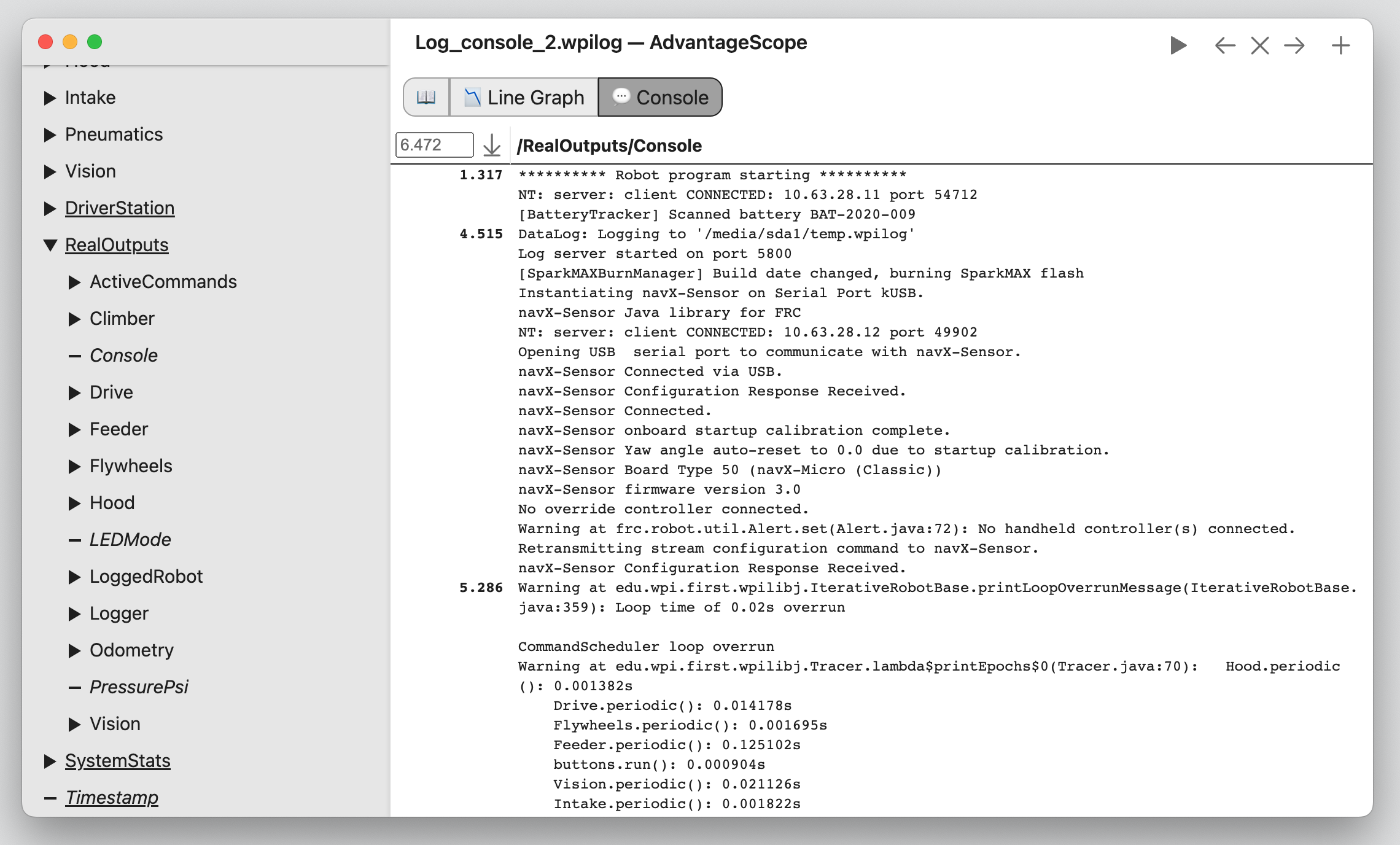
Console output is automatically logged by AdvantageKit to the Console field, and can be viewed using AdvantageScope's 💬 Console tab. This field is available under the RealOutputs or ReplayOutputs table.
Output from native code is not included when running in simulation.
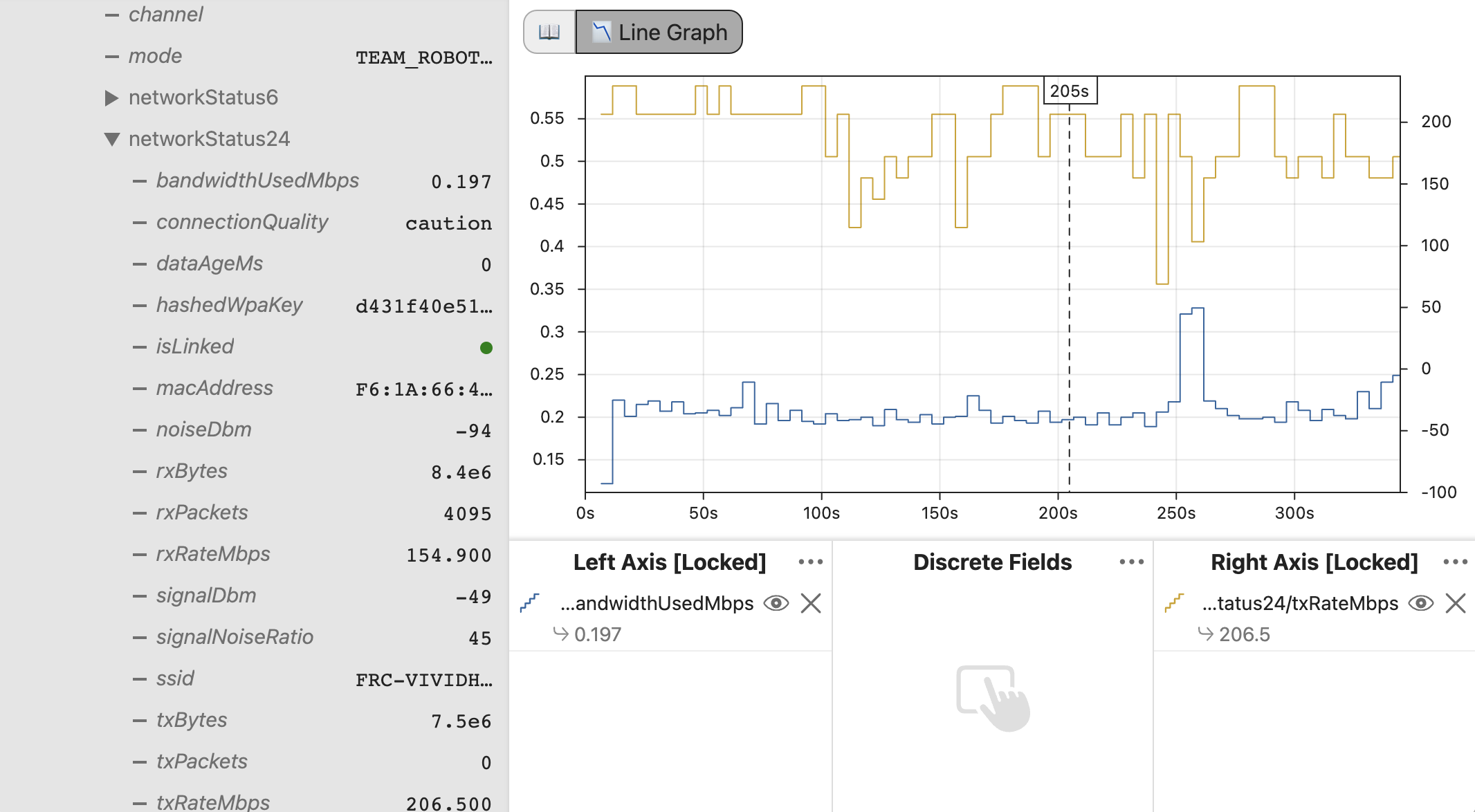
Radio Status
Status data from the VH-109 radio is automatically logged every ~5 seconds. This includes useful information about the connection status, bandwidth usage, etc. These fields are available under the RadioStatus table.
Power Distribution Data
The current on each channel, along with other useful stats, are automatically logged by AdvantageKit as outputs under the PowerDistribution table. This feature works by default when using the CTRE PDP or REV PDH configured to the default CAN ID (ID 0 for the PDP and ID 1 for the PDH).
This feature is only supported on Power Distribution devices that support current monitoring (the CTRE PDP and REV PDH). The CTRE PDP 2.0 and AndyMark Power Distribution Board are not supported.
The LoggedPowerDistribution class can be used to manually configure the power distribution type and CAN ID when not using the default configuration. This can be accomplished by adding the line below to the Robot constructor before Logger.start():
LoggedPowerDistribution.getInstance(50, ModuleType.kRev); // Example: PDH on CAN ID 50
System Stats
Important status information from the roboRIO is automatically recorded, such as the battery voltage, rail status, CAN status, system time, and NT client connections. These fields are available under the SystemStats table.
Performance Data
Several important fields are automatically recorded to measure the performance of the robot code:
LoggedRobot/FullCycleMS: The execution time of all periodic code, should be less than the loop period (20ms by default).LoggedRobot/UserCodeMs: The execution time of all user periodic code.LoggedRobot/LogPeriodicMS: The execution time of all AdvantageKit periodic code.LoggedRobot/GCTimeMS: The total execution time of the Java garbage collector within the last loop cycle, may or may not overlap with other code execution.LoggedRobot/GCCount: The total number of collections performed by the Java garbage collector within the last loop cycle.Logger/QueuedCycle: The number of cycles of data in queue to be written to data receivers.Logger/...MS: The execution time of each step of the AdvantageKit periodic code.